
// Insights
Top AI Tools to Make a Website — and How to Use Each One
By Nirmitha · Published June 19, 2026
Creating a website no longer requires coding knowledge or a huge sum of money and spending hours designing and developing the website. AI has now completely transformed web development, you can create a website within minutes now it helps design the site, generate content, add images and helps with improving SEO.
Whether you are a freelancer, a business owner or just want a personal website now AI tools can build a website faster.
In this blog we’ll look into building websites with the help of AI tools and compare their features and how to use them.
Why use AI to build a website
Using AI to build a website saves a lot of time. Nowadays AI has changed the way websites are created making the process faster, easier and more affordable. It also makes it easier for people to create professional websites with little or no coding knowledge without hiring any developers or designers. With correct prompt AI can build an entire website with personal recommendations as to how the website should look. Here are some of the important benefits of using AI to build a website.
1. No coding skills required
Technical knowledge like HTML, CSS or Javascript is not required, by providing clear requirements and right prompt AI can generate an entire website.
2. Saves time
AI tools can generate a complete website with multiple pages – with content, layout and images. This significantly reduces the time required to develop a website from the start.
3. Cost effective
Hiring a developer or designer to build a website can be expensive. Most AI tools are affordable and provide everything needed for a website like layouts, content and images in one place.
4. Generates Content
Most of the AI tools don’t just design your site – it will generate content for all the pages present in the website based on your requirements.
5. Easy Updates and Improvements
AI makes it easy to update and improve your website by regenerating any section – like changing content, layouts, adding or changing images and creating new pages within minutes.
6. Beginner Friendly
People with no coding language can use AI tools to build a website from scratch. By providing a few details about their business, design preferences and website goals of how a website should look. With the right inputs it will provide a website within minutes with no technical or web development experience.
From Prompt to Website: How do AI tools Generate a Website?
Based on the information a user provides, AI website builder can automatically generate a website with proper layouts, design and content instead of manually doing it. Users simply enter a prompt describing all the necessary requirements a website can have.
AI analyzes the information provided by the user and generates a website. The quality of the website majorly depends on the prompt provided, if the requirements are in detail the better the AI can understand the users needs and generate a website according to the users expectations.
- Enter a Prompt
Start by describing your website – your business type, specific features and page, preferred style. The more detailed your prompt is, the better the AI can understand and generate a desired website. - Set your preferences
You can specify any features like adding contact forms to the website, preferred layouts, functionality, blogs, images and colours. These preferences help AI to generate a website that meets your brand’s identity and business requirements. - Generates the design and layout
Based on the prompt provided it will create a website layout, colors, fonts and structure that matches your brand. - Review, edit and publish
Once the AI builds your website, you can fully control it by changing images, content, fonts and colours or ask AI to regenerate as per your needs. When the results are satisfied you can publish the website.
How we tested these AI Website Builders
With so many AI website builders today, we wanted to compare it fairly, so we have used the same prompt across all AI tools, to make it easier to differentiate with quality speed and output.
The prompt we used
To test each AI website builder we used the following prompt-
Create a luxury real estate website called “Skyline Properties”. Include Home, Properties, Developers, Locations, About Us, Blog, and Contact pages. Use a modern design with dark blue, gold, and white colors. Add property listings, search filters, featured projects, investment opportunities, inquiry forms, testimonials, and call-to-action sections. The website should be mobile-friendly, SEO-optimized, and designed to generate leads.
What we looked at after running prompt on each of the AI tool:
- Speed – How fast it generated a website after entering a prompt
- Design Quality – Did the output match to the given prompt
- Content Quality – Was the copy written generic or professional.
- Page Completeness– Did the AI website builder generate all the requested pages.
- Mobile Responsiveness – Did the website function well on mobile.
- Customization – Checked how well it regenerated the website after adding additional customization.
- Overall User Experience – The overall experience of using the platform, including ease of use, website generation process, editing capabilities, and final output quality.
1. Lovable
Overview
Lovable is an AI powered website that allows users to create a website with just entering a prompt and it generates a fully functional website. For beginners, Lovable offers a quick way to turn an idea into a working website.
Figure 1: Homepage created using Lovable AI.
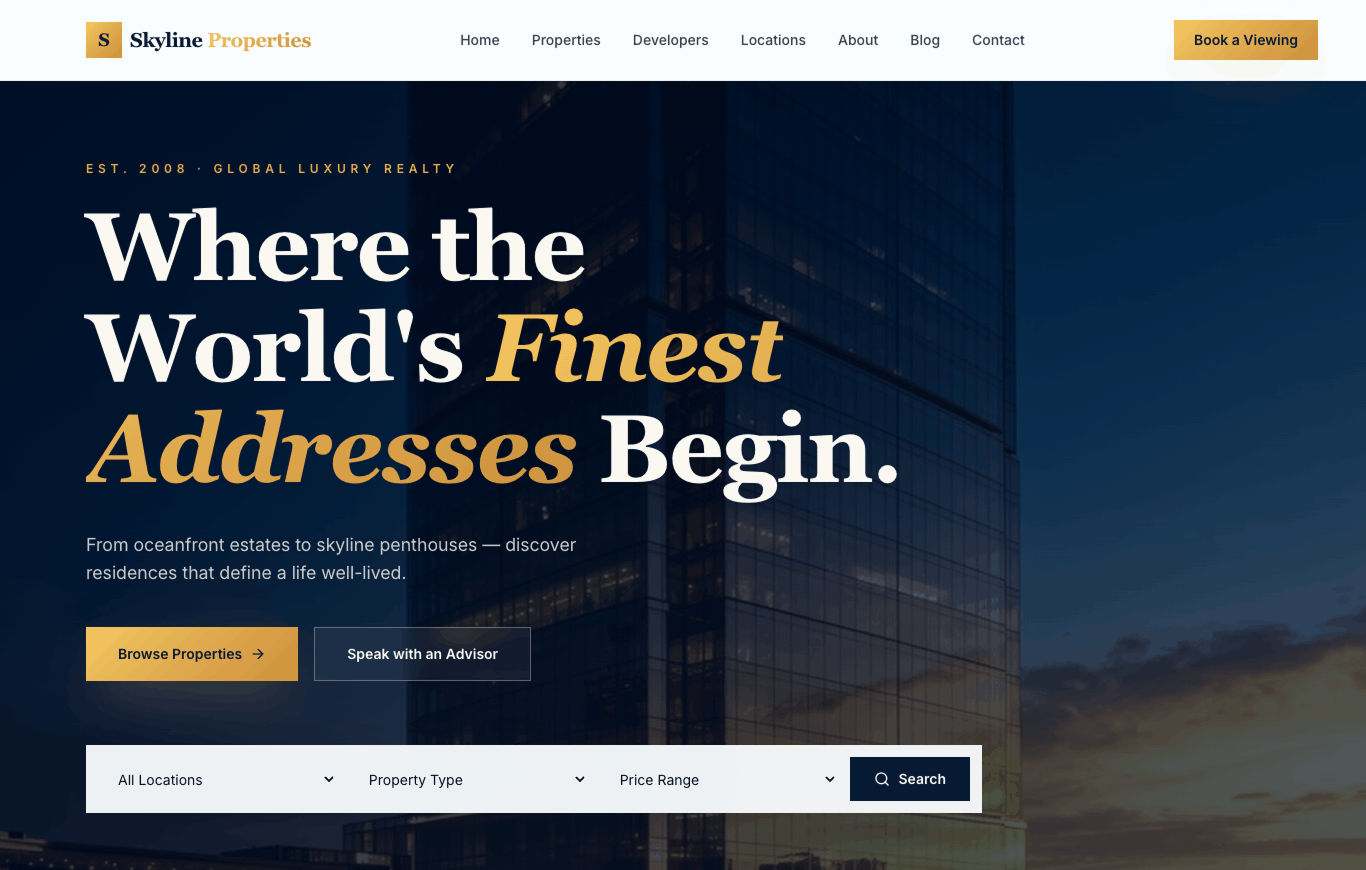
Figure 2: Property listings page generated by Lovable AI.
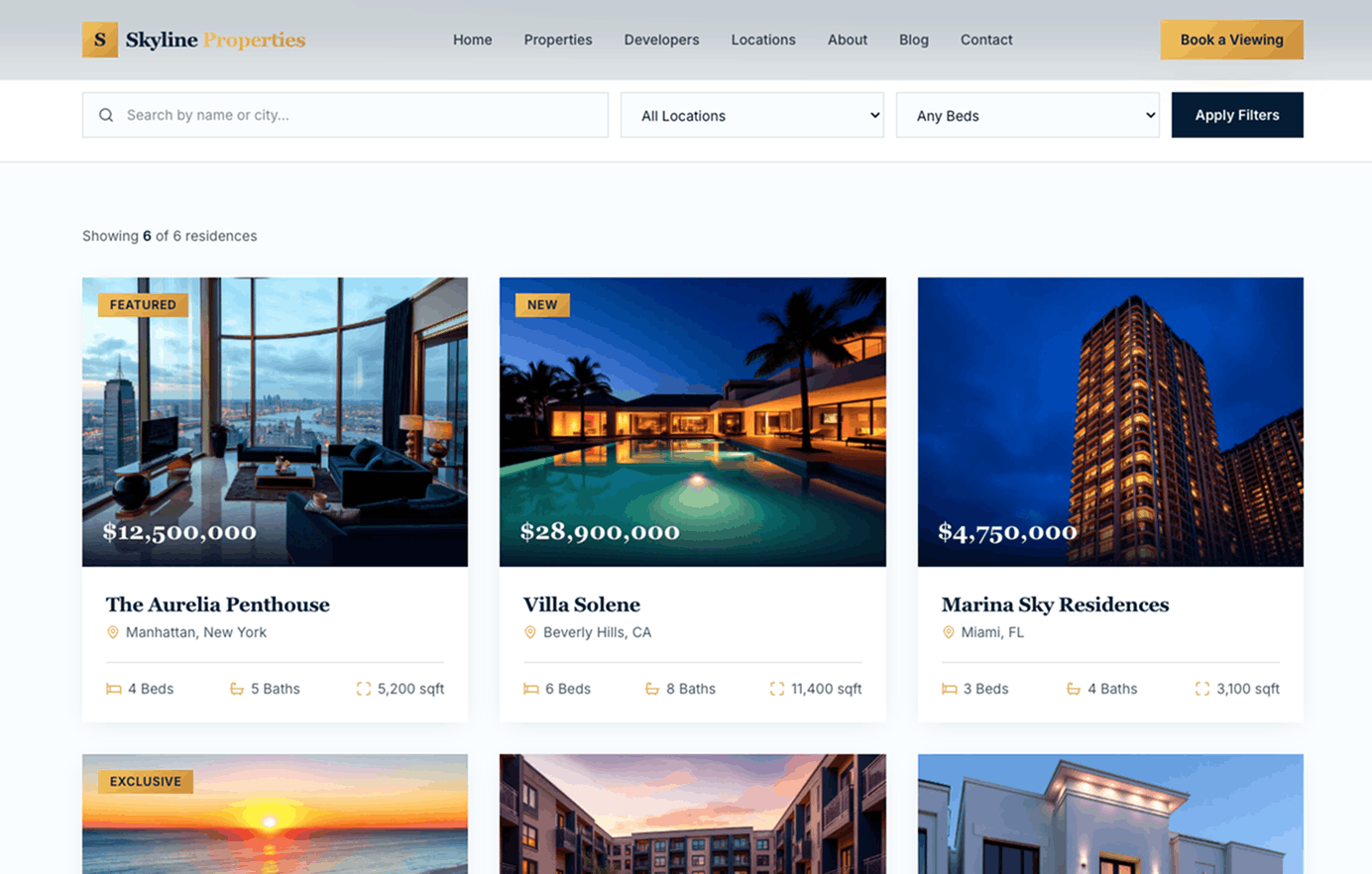
Figure 3: Footer section generated by Lovable AI.
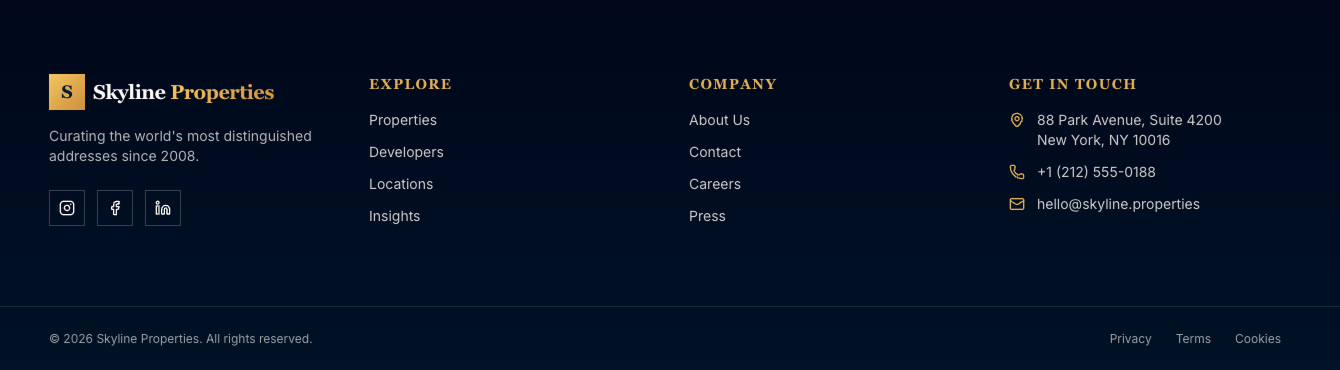
Figure 4: Developers page generated by Lovable AI.
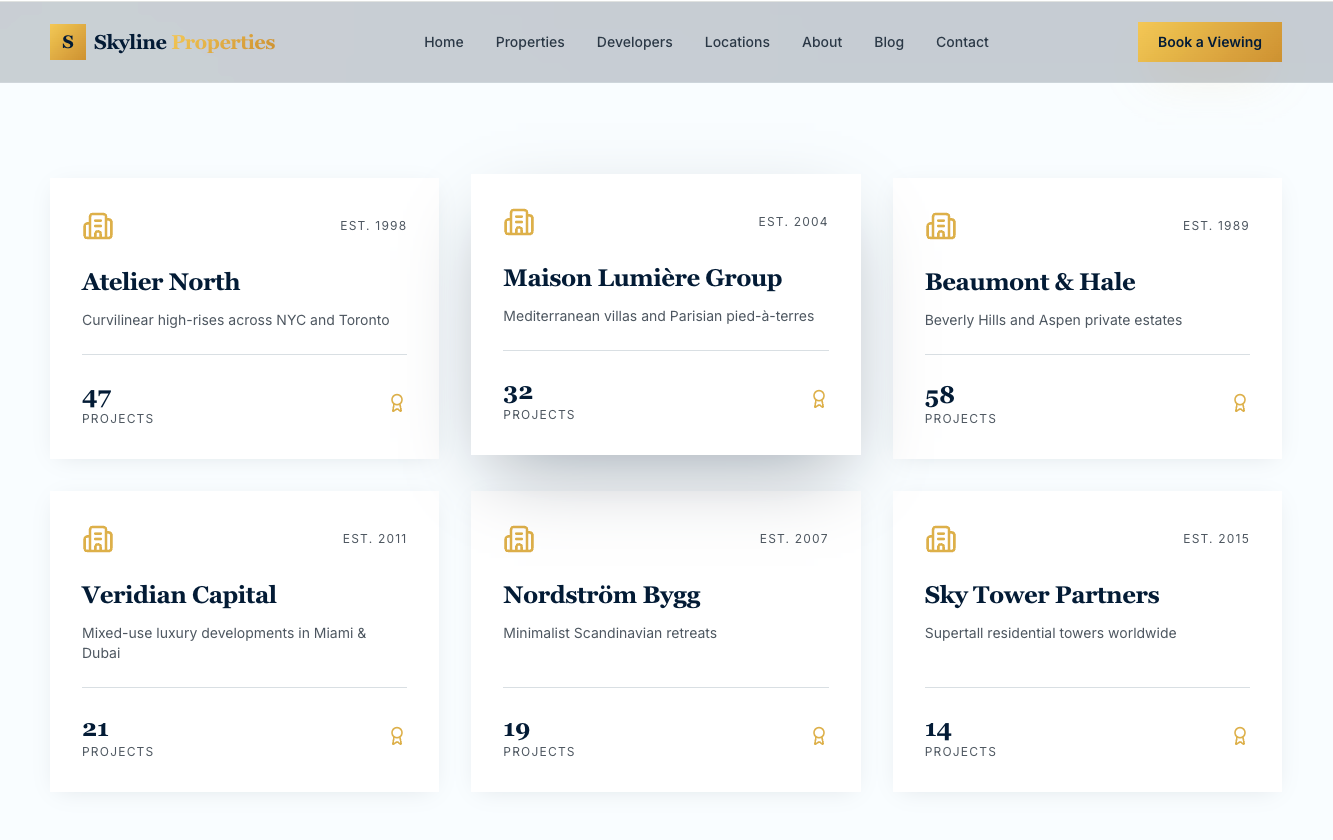
Figure 5: Contact page generated by Lovable AI..
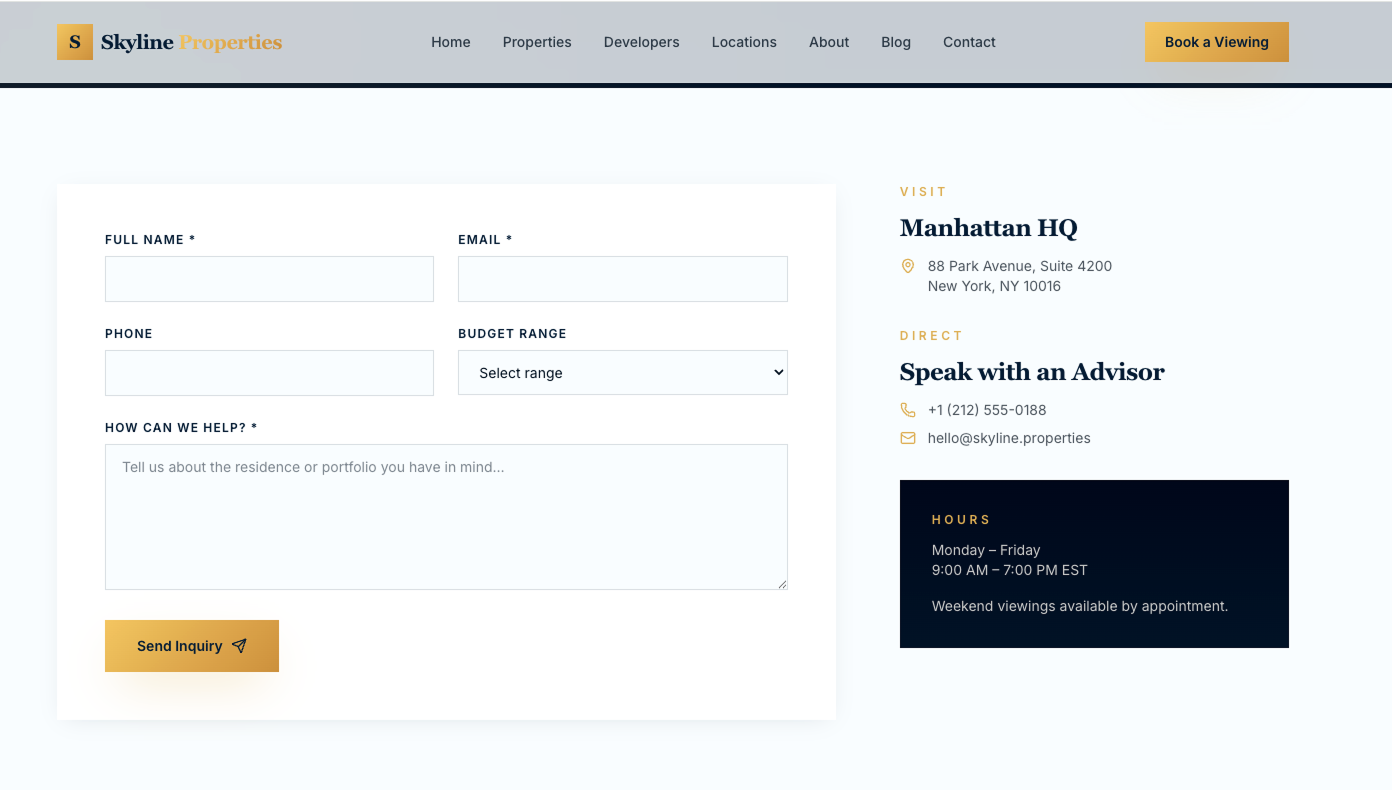
How to use Lovable
1. Go to https://lovable.dev/ and create a free account. With a free plan there are a limited number of prompts only – if you want unlimited customization, a paid subscription is available.
2. On the dashboard, create a New Project and type your website description in the prompt box.
3. Lovable will generate a live preview of your website based on the prompt entered within a few minutes.
4. To customize, simple type new instructions in the box on the left.
5. Once the website is generated as per your requirements, click publish to make your website live.
Our Experience
When we entered the skyline properties prompt AI generated a complete website within a few minutes. Lovable understood the prompt and immediately began generating the website. It closely followed the prompt correctly with dark blue, gold and white colour scheme. It also created all the pages Home, Properties, Developers, Locations, About, Blog, and Contact.
Lovable AI builder was able to maintain consistent design, fonts, structure and colors across all the pages which made the website look professional.
Based on prompt given, lovable generated:
1. Home Page with hero banner, search filter, featured properties and so on.
2. Properties page with listing cards and filters.
3. Developers page showing partner developers.
4. Locations page showing different location properties.
5. About page with company information
6. Blog page with articles
7. Contact page with form and contact details.
Pros:
1. Lovable generated a complete website within minutes.
2. No coding or design experience is required.
3. Generated all requested pages.
4. Generated relevant content for each page.
5. All the pages were responsive across all devices.
Cons:
1. Requires additional prompts for further functionality of the website.
2. Content may require review and editing before publishing.
3. For a more unique design additional customization is required.
4. For further customization subscription is required, only few changes can be made after the website is generated.
2. Hostinger Horizons
Overview
Hostiger Horizons is an AI powered website builder that creates websites using prompts. Users can describe their website requirements and the AI generates a complete website.
Figure 1: Homepage generated by Hostinger Horizons.
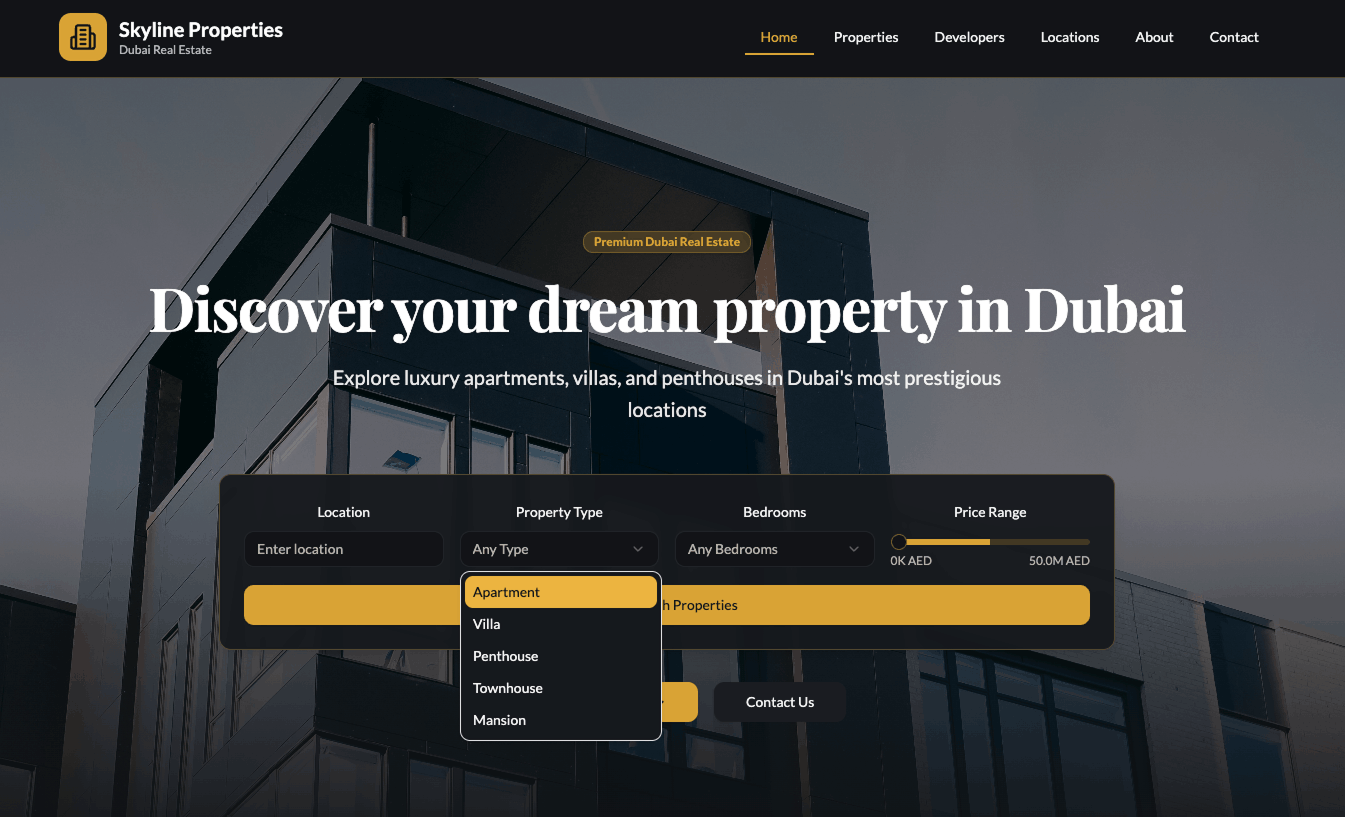
Figure 2: Property listings page generated by Hostinger Horizons.
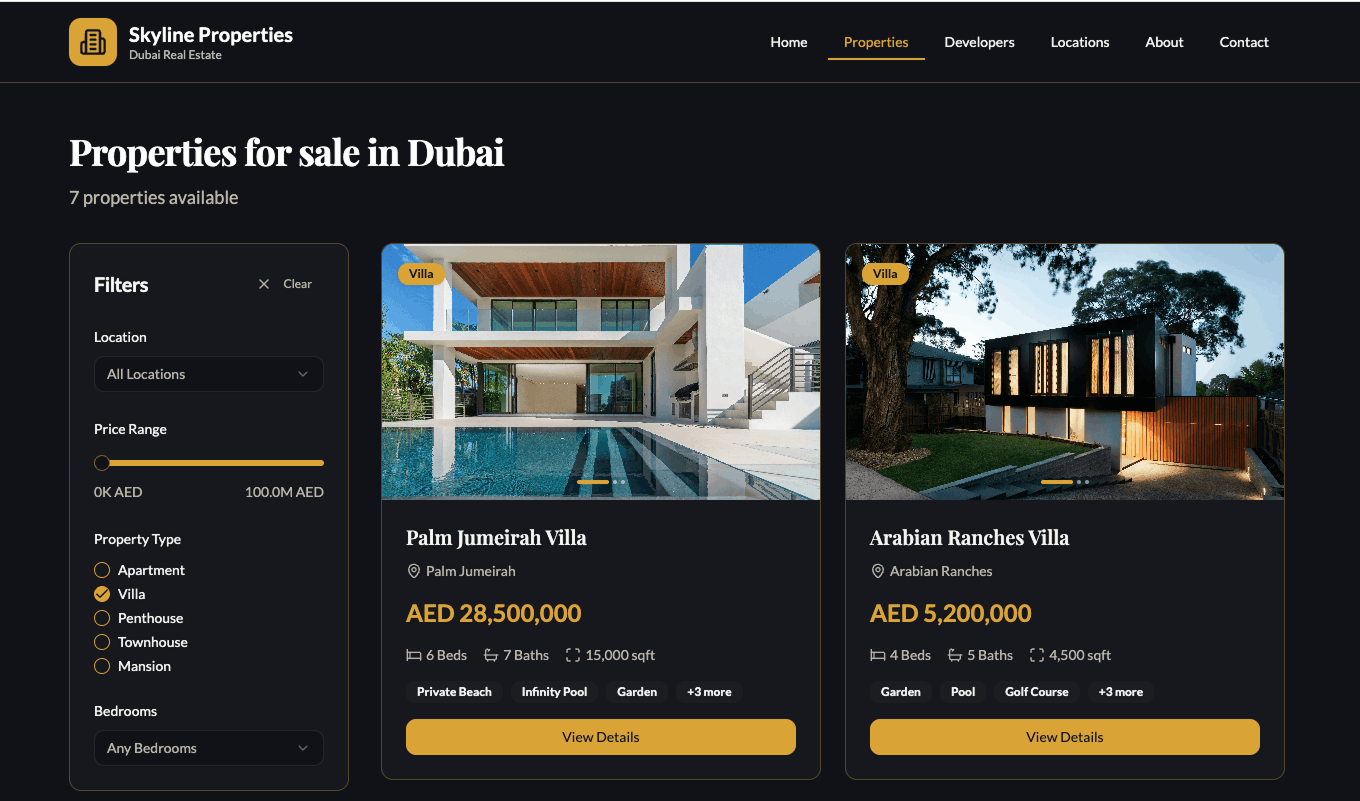
Figure 3: Locations page generated by Hostinger Horizons.
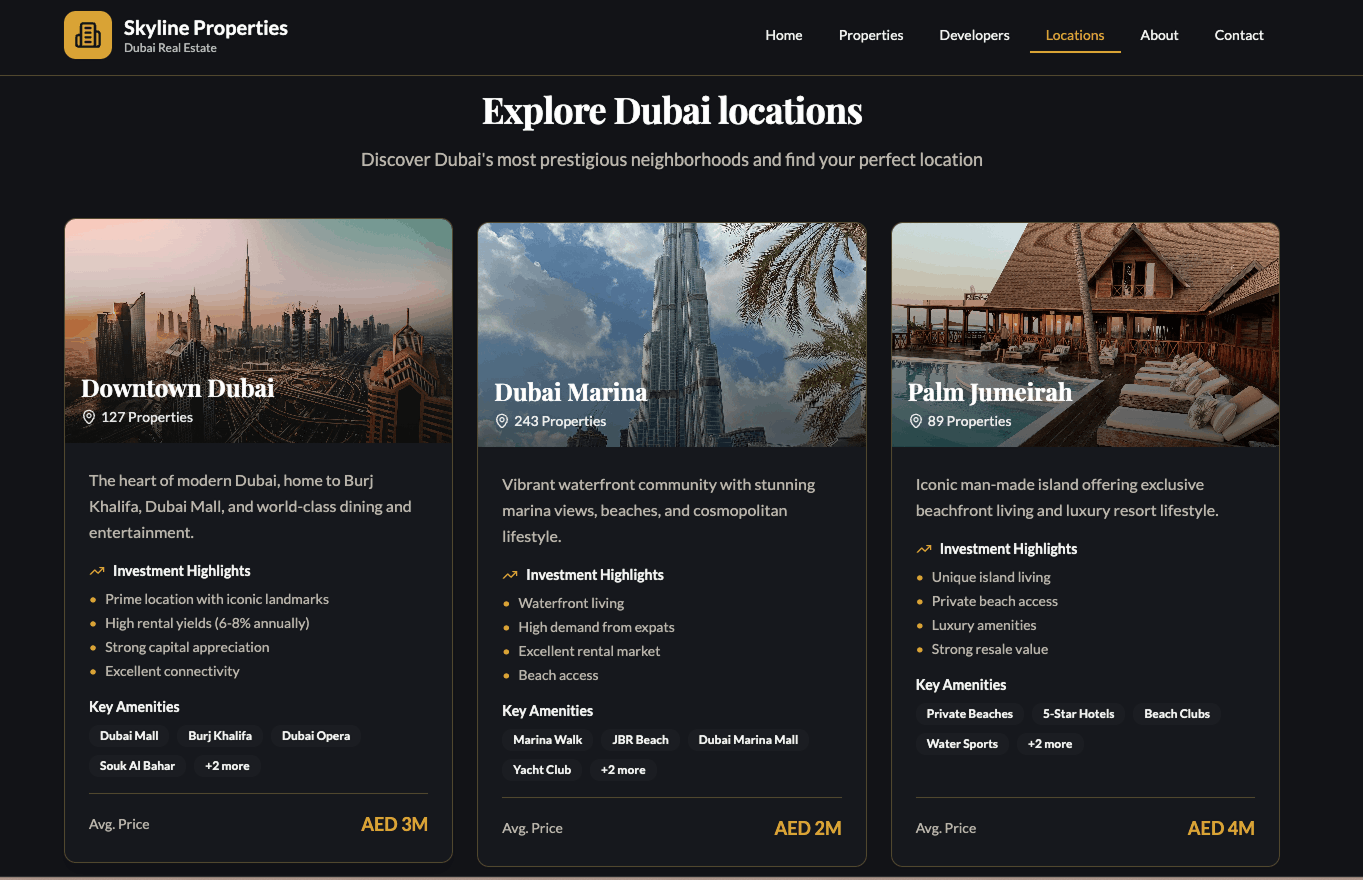
Figure 4: Developers page generated by Hostinger Horizons.
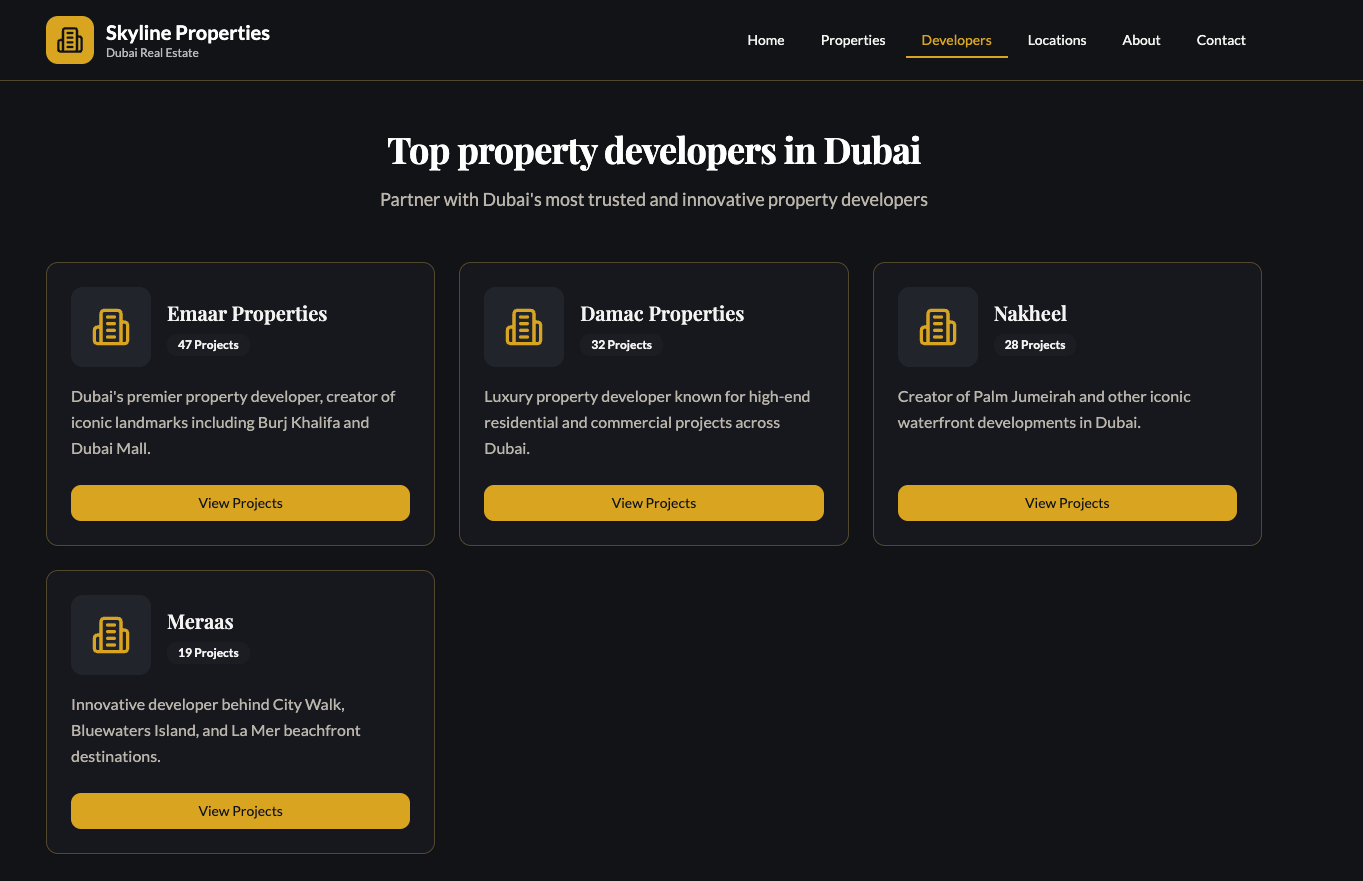
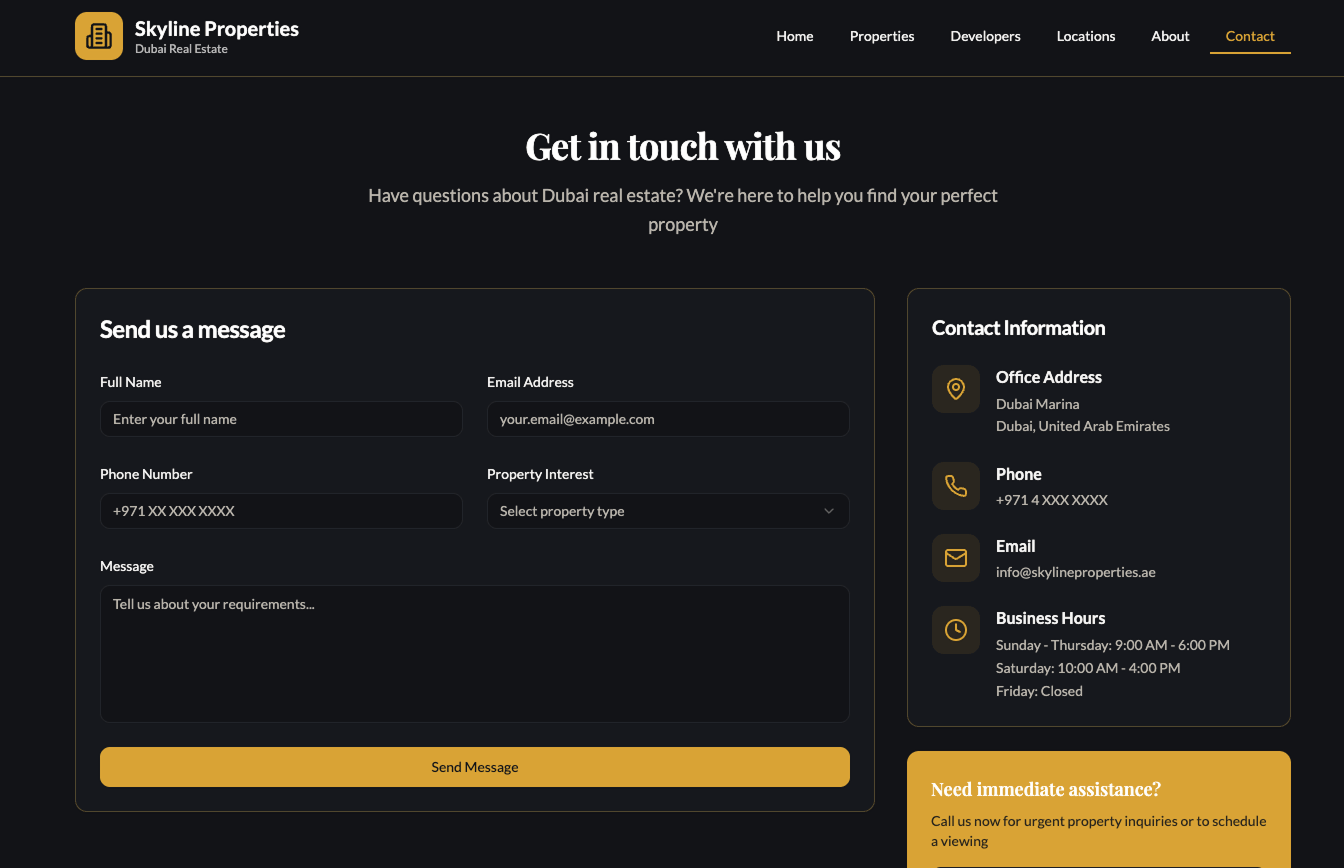
Figure 5: Contact page generated by Hostinger Horizons.
How to use Hostinger Horizons
1. Visit https://horizons.hostinger.com/ and signup.
2. On the dashboard click the three-dot menu on the left sidebar and select “Create new website” to get started.
3. Enter a prompt with your requirements and AI will generate a complete website.
4. For further customizations you can type follow-up instructions in the chat.
5. Free Plan allows only a few limited prompts for customization, if unlimited changes are required then upgrading to a paid subscription is recommended.
6. Click “Publish” and follow the steps to connect your Hostinger domain or set up hosting.
Our experience
When we entered the prompt, Hostinger AI generated the website within a few minutes. The website closely matched the requirements in terms of overall structure, design, and page creation. It successfully generated pages such as Home, Properties, Developers, Locations, About, and Contact. However, the Blog page was not created initially, and some sections, layouts, and colours required additional prompts to better match the requested luxury real estate theme. After a few refinements, the website aligned much more closely with the original prompt.
Based on our Prompt it generated:
1. Home page with search property filters.
2. Property page with listing cards and filter
3. Developers page featuring top developers
4. Locations page showing different locations properties
5. About page with company information
6. Contact Page with form
7. Mobile responsive layouts
Pros
1. Generated all the pages except for the blog page, the missing page could be added with additional prompt
2. Included search and filter functionality.
3. Easy to update or customize using additional prompts
4. Mobile friendly layouts.
5. Overall generated a visually appealing website.
Cons
1. The color scheme required regeneration.
2. Some pages and sections needed additional prompt,
3. The free version has limited regeneration and customization attempts.
4. Advanced integrations and dynamic property data require further setup and customization.
5. For further customization subscription is required, only few changes can be made after the website is generated.
3. Bolt-new
Overview
Bolt-new is an AI website builder, with just a simple prompt it builds a website. It focuses on creating complete projects quickly, including layouts, content, and functionality, without requiring users to write code manually.
Figure 1: Homepage created Bolt.new.
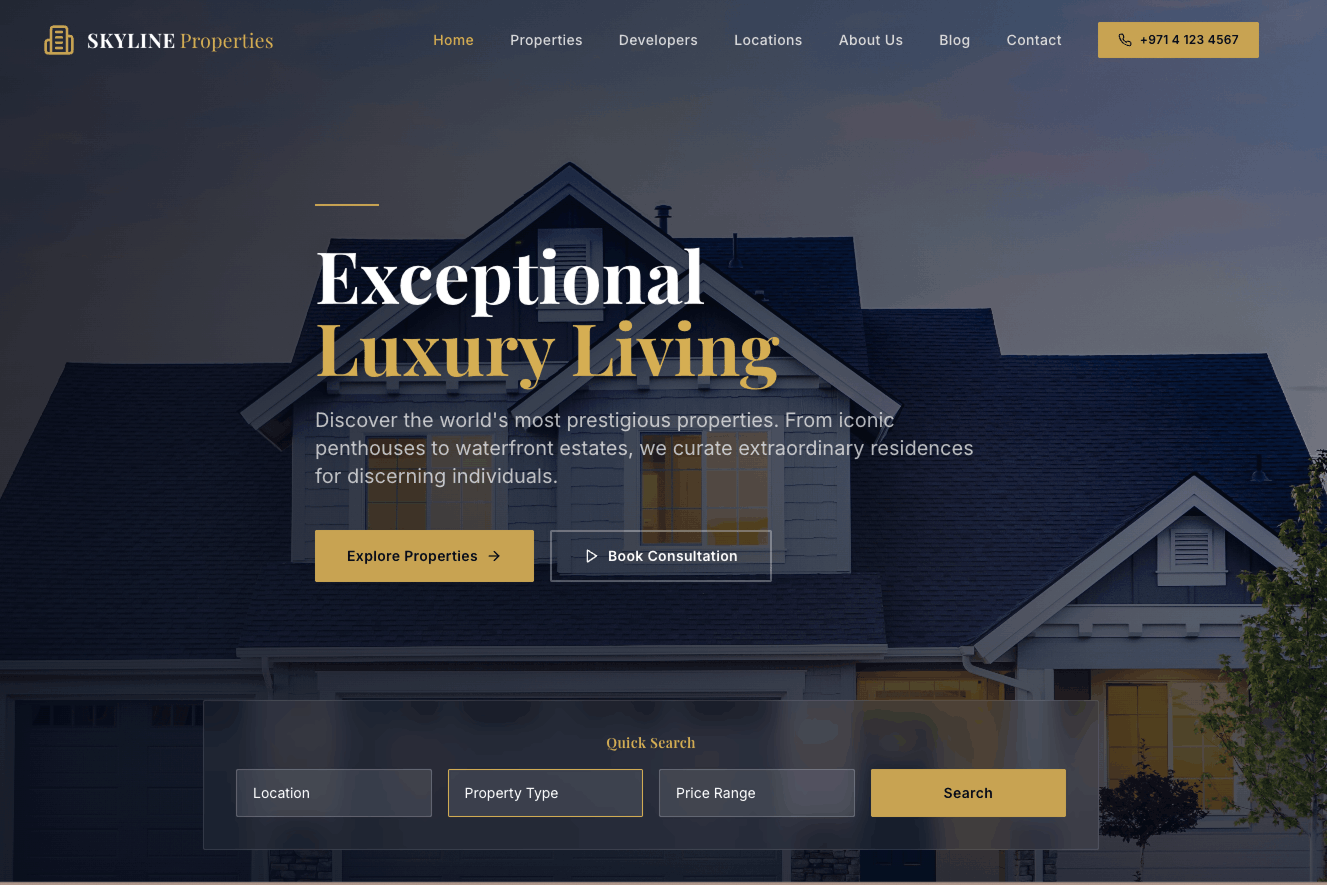
Figure 2:Property Listing created Bolt.new.
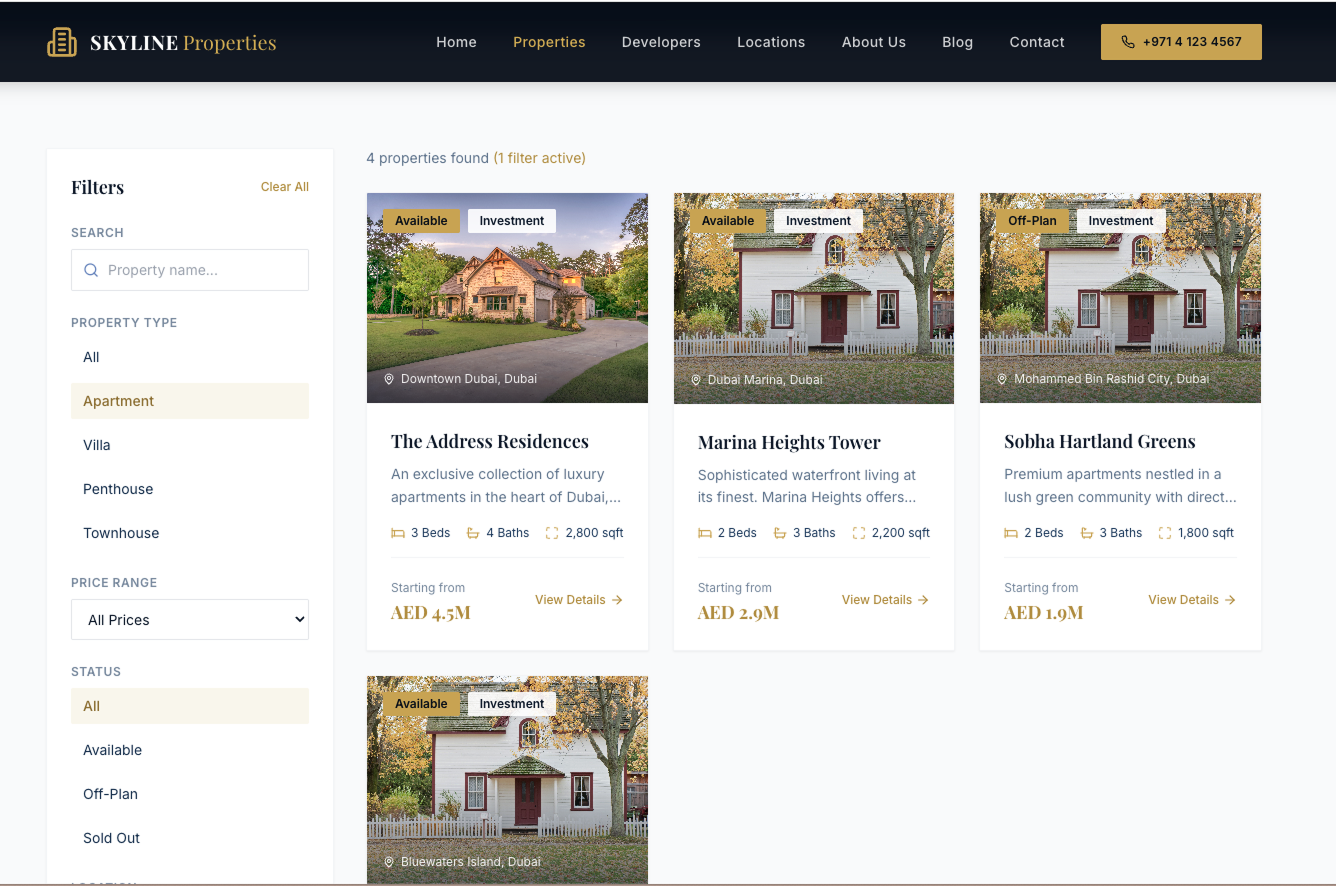
Figure 3: Developers Page created Bolt.new.
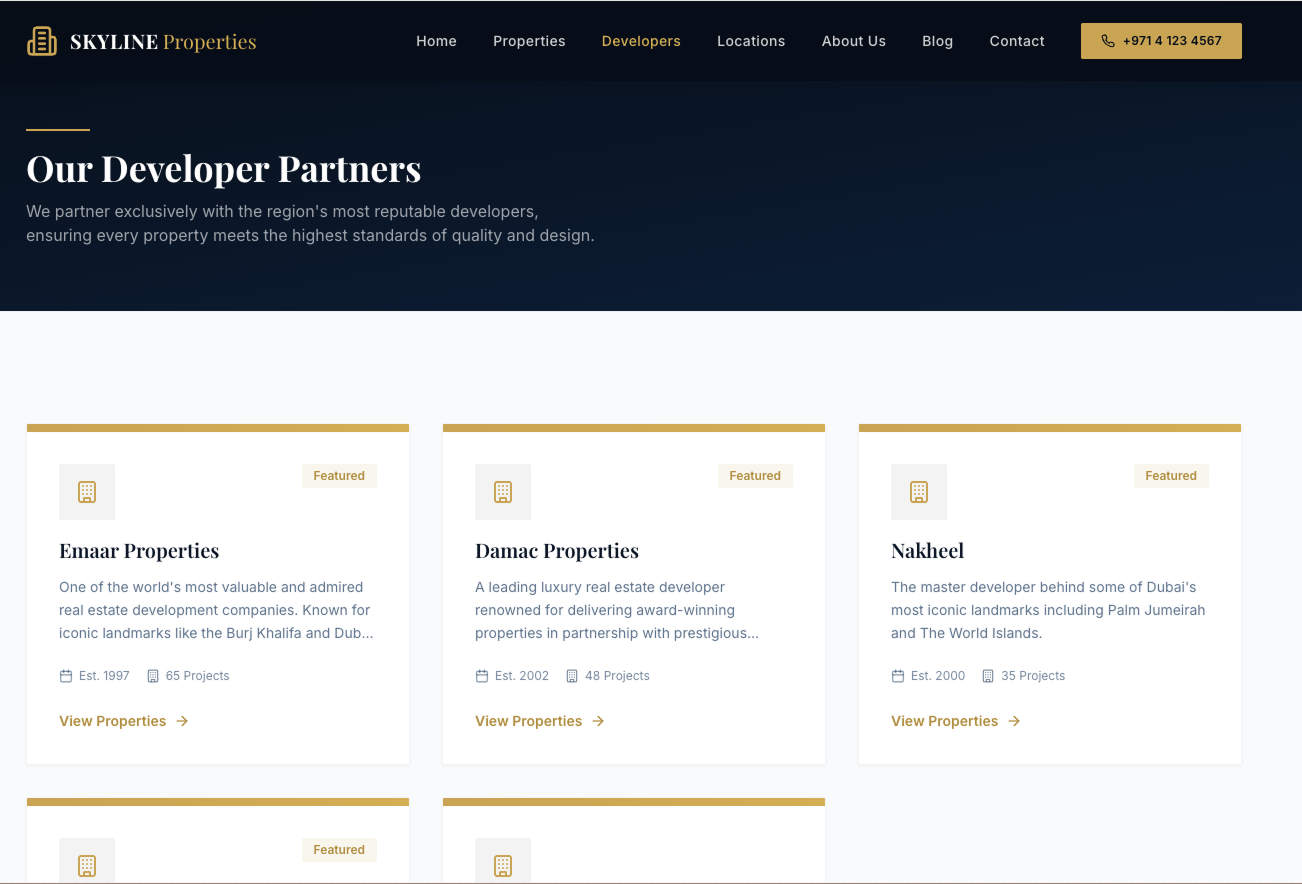
Figure 4: Developers Page created Bolt.new.
Figure 4: Locations Page created Bolt.new.
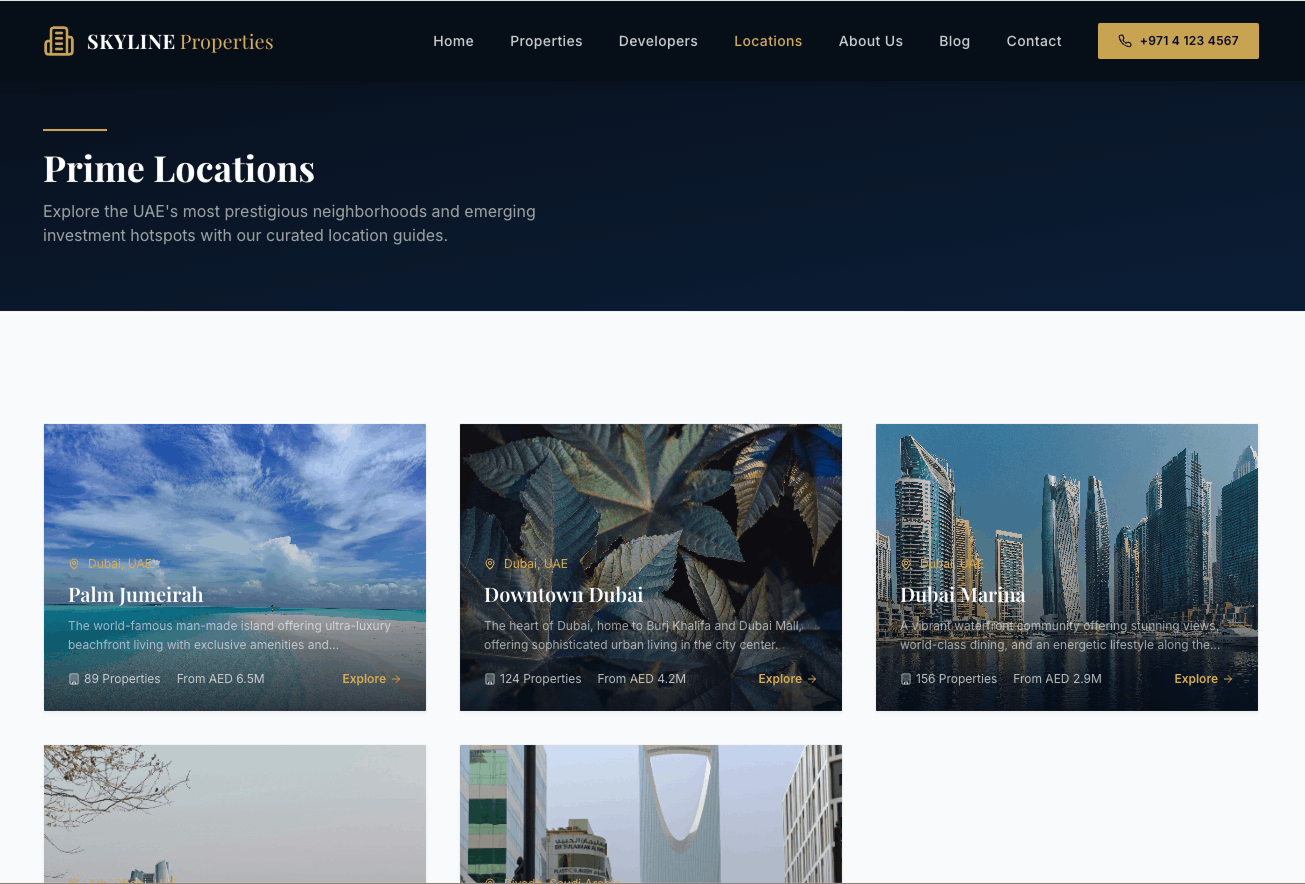
Figure 5: About Page created Bolt.new.
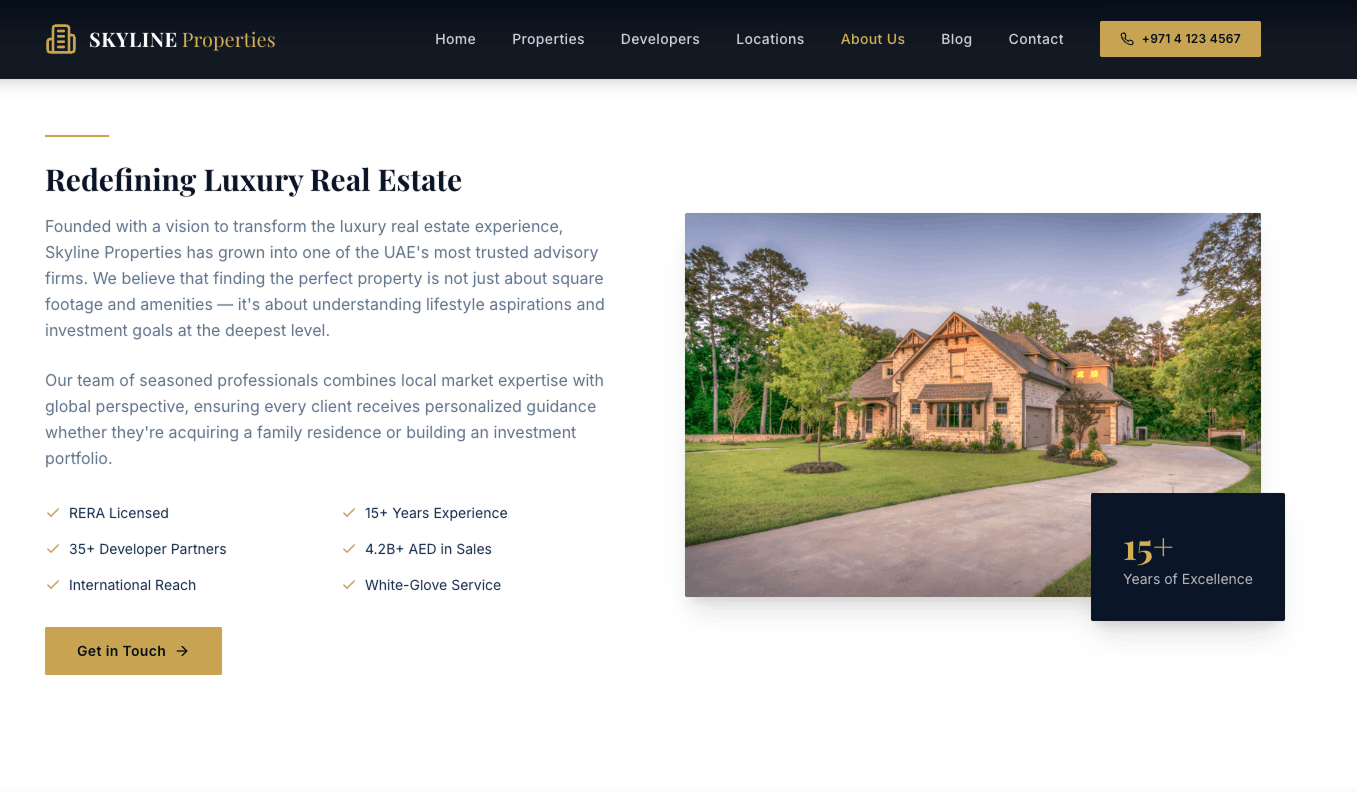
How to use Bolt.new
1. Go to https://bolt.new/ – signup/login.
2. On the left type your prompt into the input box.
3. Bolt will take a little longer to generate your website but will generate a complete multi-page website.
4. You can see a live preview on the right once it generates your website.
5. To make further edits – first few prompts are free, for unlimited changes subscription is required.
6. On the right side you can publish your website.
Our experience
When we entered the prompt it took quite some time to generate the website, but it understood the requirements regarding the structure, pages and colors and generated a visually appealing website.
The generated website included multiple pages and followed the luxury real estate theme mentioned in the prompt. The AI was able to create property sections, developer information, contact forms, and call-to-action elements. In some cases, additional prompts were required to refine specific sections and improve the overall design.
What Bolt.new Generated
Based on our prompt, Bolt.new generated:
1. Home page with search property filters, featured properties and testimonials section.
2. Property page with filters and cards
3. Developers page with developer properties
4. Locations page
5. About page about company information
6. Blog page
7. Contact page with form and contact details
8. Responsive Layouts
Pros
1. Fast website generation
2. Generated multiple pages from a single prompt
3. Modern and professional design
4. Easy to customize using additional prompts
5. Responsive layouts
6. Good starting point for further development
Cons
1. Images needed additional prompts to be changed to real estate images.
2. Not all sections included images in the first input.
3. For better customization design and branding required additional prompts.
4. Dynamic functionality and advanced integrations need additional setup.
5. Some sections were not generated correctly and required additional prompts for refinement.
Conclusion
AI website builders have made website creation faster and easier than ever without any coding knowledge. With just a prompt AI website builders can generate a website with all the pages, functionality, content images and responsive design.
In our testing each AI tool had its own limitations. Lovable created a visually appealing website and it was quick in generating the website. Hostinger Horizons offered a structured approach and Bolt.new created all pages seamlessly.
However all the tools required additional prompts for image generation, advanced functionality, or content refinement. Features such as dynamic data, custom integrations, and unique designs still need some manual customization before a website is ready for production.
If you want to build a website quickly with no coding knowledge, AI website builders are a great option, which can save time and money.

Ready to scope your next initiative?
Share your goals with our Bangalore team. We respond within one business day with a clear path from discovery to delivery.